Google+ now allows two types of accounts - Personal and Business. A business page for your business will help you connect directly with your customers. Building up an affectionate relationship with your customers increases your brand value and promote your brand to all the new people who are in the circles of your customers.
So lets see how to create a Google+ page for your business.
1. First go to - "create a new Google+ page" and select the type of business your page is about. Google has listed four categories and an "Other" category for those who doesn't fit in any of the listed categories. You need to give a name, optional website and a sub-category that better describes your business. For local businesses, Google+ accepts a location as well. Click "Create" and your business page is created.
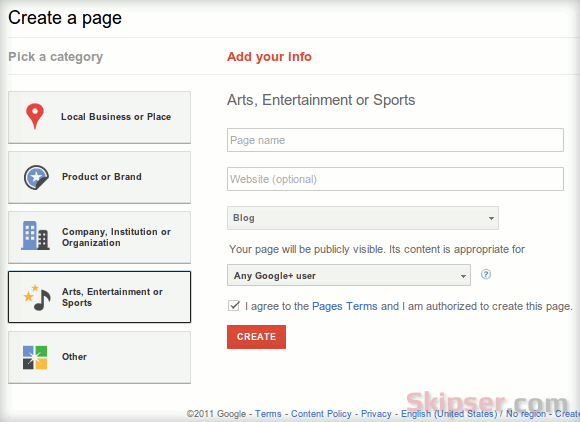
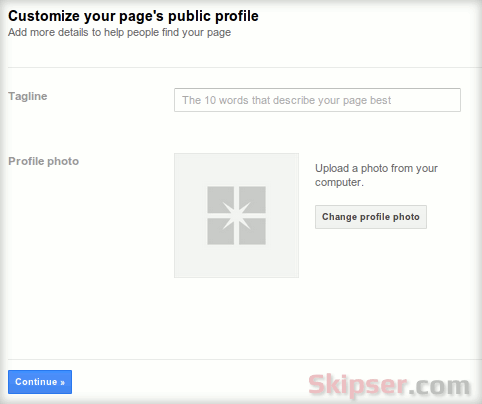
2. The next step is to customize your profile. You can give a description of your business and upload a profile photo. Once done, click continue.
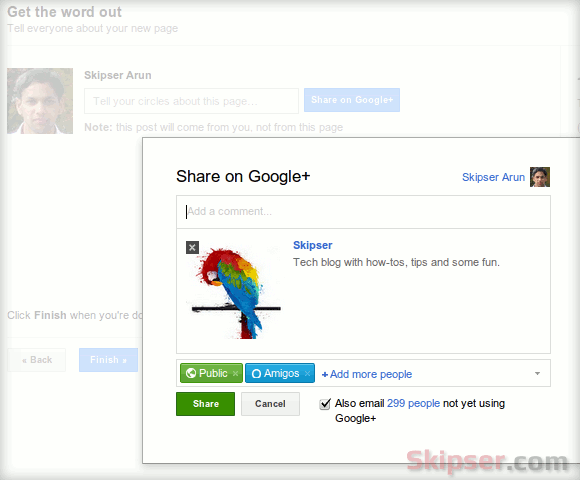
3. You are almost done. The last and final step is to inform your followers, friends or even customers about your new business page. You can choose your circles or add people individually as well. This step is completely optional. If you want to inform everybody only after further customization like adding photos or posts, just click "Finish".
Thats it. Your first Google+ business page has been created and you can start posting updates and new posts right away.
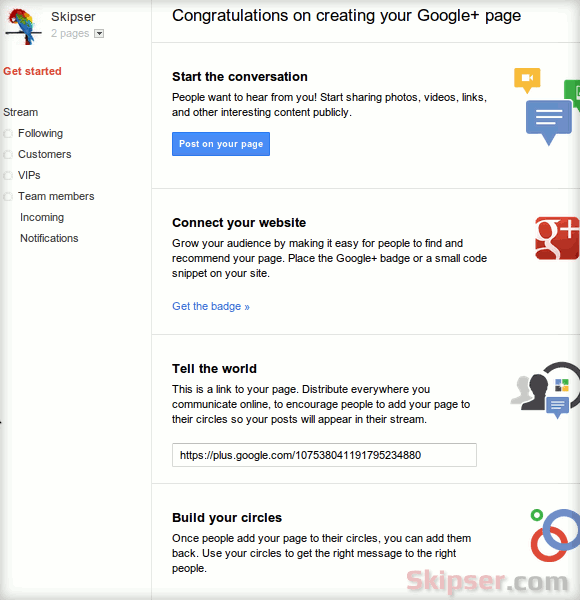
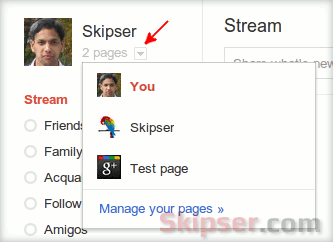
After creating a page, most folks find it difficult to navigate between pages. So here is how you do it - Go to your stream page and right next to your profile picture on the top right, you will find a drop down menu mentioning the number of pages you have created including your profile page. You can use that to navigate between pages -
Things to do after creating Google+ business page
Fine, you just created your new business page. But that's not it. Here are some additional things that you need to do to connect and socialize better.
- Get your custom badge.
Update: Wordpress users can use the Gplus Badge Plugin.
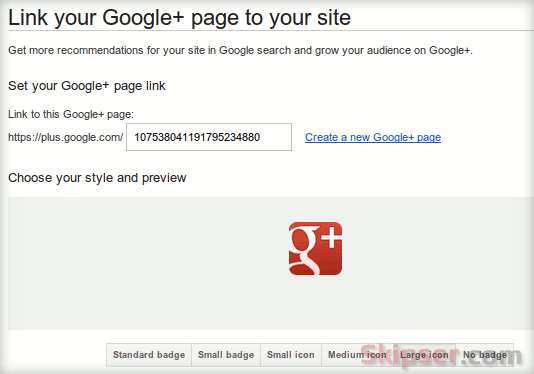
This Google+ badge is similar to the Facebook icon on websites that link to Facebook profile. To get the badge, go to Google+ badge page and insert the id of your newly created page. Google only allows an icon currently that will link to your Google+ business page, which you can select in three sizes. A widget similar to the "Facebook like box", also called Google+ badge is in queue and will be added soon.
- Create hangouts and inform your circles
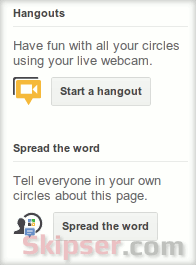
You can also create hangouts and create a post informing people in your circles about your new business page. Links for both are available on your page on the right.
If you didn't feel good about a page you created, don't worry. Google+ allows multiple pages per profile. So just create a new one and delete the old one - How to delete Google+ page for business.
So go ahead and create your business page right away. Please feel free to give your feedback as comments below.
You may also like
Nov 08, 2011
Pages canât add people to circles until the page is added first or mentioned. Meaning once some body adds your page in their circles, you can add them to circles.
Nov 08, 2011
Nov 08, 2011
A workaround for now would be to create a dummy Google+ account whose password both of you knows. Both of you can update it as you both have access. The good thing is - When google+ starts allowing multiple admins, you can add your original profiles as admins and may be remove the dummy profile.
I am keeping a close watch on the happenings and will be updating as soon as the feature rolls out. So please make sure you are connected - rss, mail, facebook, twitter or google+.
Nov 09, 2011
Nov 09, 2011
You could always create a second Gmail id for your Google+ account. Its not illegal. Google+ only mandates you give your real name. Also, nobody can know from your Google+ business page who the admin is, so there is no privacy leak if that's what your concern is.
Google is currently evolving its algorithms and things like multiple admin for a page etc are in the pipeline and I am keeping a close watch. Frankly, there is a hype, but it is really very much below level compared to FB business pages. Please make sure you are subscribed (Google+, Facebook, twitter, mail, rss ... etc) with skipser so you don't miss the updates.
Nov 09, 2011
Eventually I found that on my personal stream, under my name beside my picture, it said "1 page". When I clicked on the "1 page" I found the entrance to my page. Kind of like the entrance to Narnia at the back of the wardrobe.
For discussions about grant proposal writing, follow me at +GrantSmiths
Nov 09, 2011
Thanks for the informative article. Do you know how we can convert the padid in page url from https://plus.google.com/102562000577332101466 to https://plus.google.com/companyname ?
Nov 09, 2011
I too had faced the same issue, but found out eventually. Thanks for the tip though, I have updated this post to add that information as well. Guess that could help many folks.
Nov 09, 2011
If you are that desperate, you could try this trick-
http://www.skipser.com/p/2/p/how-to-get-google-plus--personal-url-with-custom-username.html
BTW, I am tracking Google+ very closely now for such features and would be updating skipser. So please follow me on Facebook, twitter, Google+, mail, rss etc... Only if you like skipser ofcourse :)
Nov 11, 2011
Nov 11, 2011
I don't think there are any distinct or huge advantages as of now in marking your boundaries But since Google+ is evolving, features specific to categories could be rolled out in future. So even though it makes little difference now, its better to be clear on your requirements right now rather than feeling guilty later on. Hope it helps.
Nov 11, 2011
Nov 12, 2011
Nov 19, 2011
Nov 21, 2011
Nov 21, 2011
The only thing you can do currently is to create a page for each category you need and post to each page accordingly.
Nov 25, 2011
http://www.DrewryNewsNetwork.com
Dec 06, 2011
Dec 06, 2011
Hope this helps.


Nov 08, 2011