Windows Live Messenger is one of the most popular instant messaging services out there. Of course you need a Windows Live ID to login.
A lot of new users of the Windows Live Messenger hit the infamous sign-in problem which returns error codes 800488fa and 80048836. Here's how it looks like -
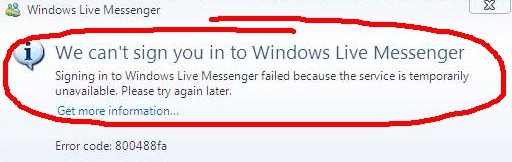
The problem here is - You have recently created this account and have not verified your account!!!
When you sign in for a Windows Live account, it asks for an alternate email id to which a verification email will be sent. And unless you complete the verification, sign-in will always show this error.
So if you get into this problem, first check for a verification mail in the alternate email id you had given. If you can't find it, just go to the Windows Live sign-in page and request for another verification mail. Once you have successfully verified your account, you can proceed with logging into your Windows Live Messenger.